
Turn a small observation into a clear improvement
A lightweight widget lets visitors rate the moment and explain what they encountered, sending page and device context to the team without interrupting the experience.
From a raw signal to insight you can use.
Every component is designed to turn data or daily activity into a clearer decision your team can act on and review.
Easy access
A clear, consistent button appears where users need to share their experience.
Context-rich feedback
A rating and comment with the page URL, device, and time.
Follow-through loop
Classify feedback, share it with the team, and monitor trends.
A few steps, with context that stays connected.
- 01
Open
The user opens the feedback tool from within the page.
- 02
Share
They choose a rating and write a comment in seconds.
- 03
Analyze
The feedback reaches the team dashboard with its context.
What is Feedback in Qube Analytics?
Feedback is your direct communication bridge with your customers. Your different teams can turn these insights into tangible improvements to your site and products.
Collect feedback at relevant moments
Invite feedback directly from selected pages and interactions, giving teams timely comments and ideas about the experience.
Listening supports growth
Listening to customers gives teams direct evidence for improving the experience and strengthening relationships.
Create a feedback tool that fits your experience and brand
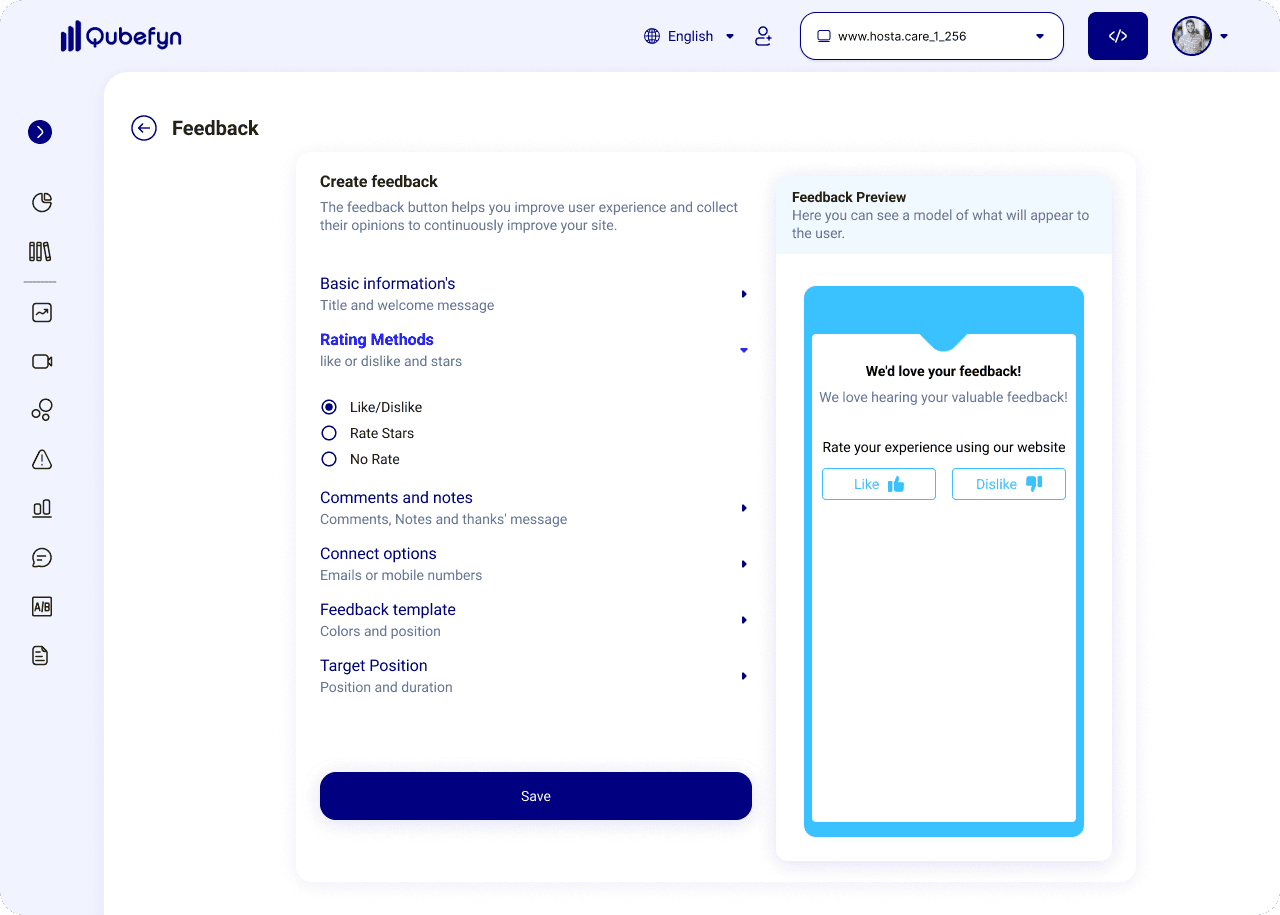
Start with Feedback settings
Specify basic information such as the title of your welcome message and preferred rating method, such as like, dislike, or star rating. You can preview what the widget will look like in real time.
Add comments and notes
Let users add detailed comments alongside a rating, and configure a thank-you message after submission.
Contact and follow-up options
Let users choose a follow-up preference, such as phone, email, or no contact, and collect contact details only when they choose to share them.
Control placement, targeting and themes
Choose the widget position and decide when and how it appears. Show it continuously, after a visitor scrolls, or only on selected pages, and adapt its colors to your brand.
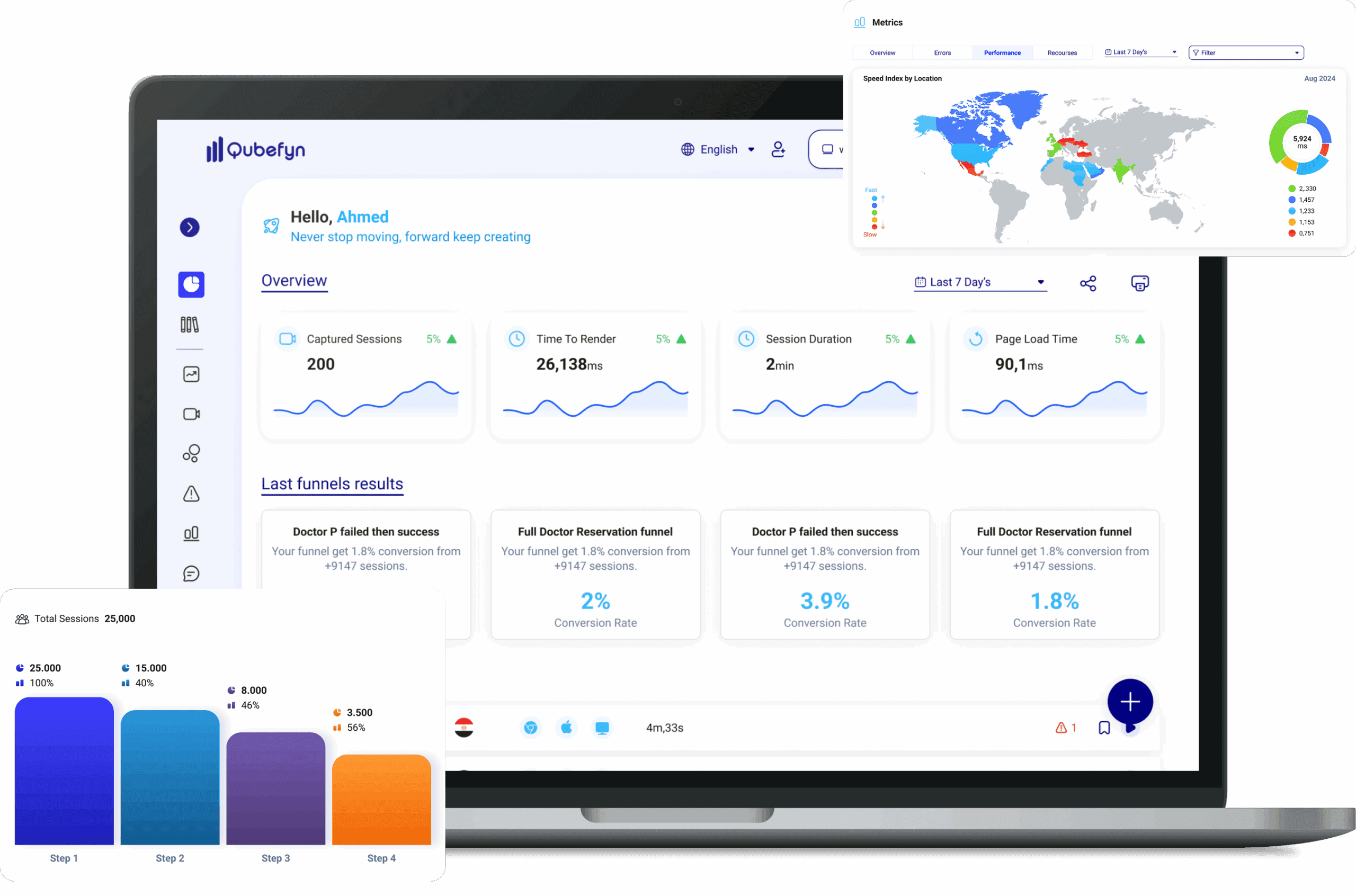
Customer feedback collection and analysis in Qube Analytics — original product view 1
Review customer feedback
Explore submitted feedback, compare ratings, and read written comments.
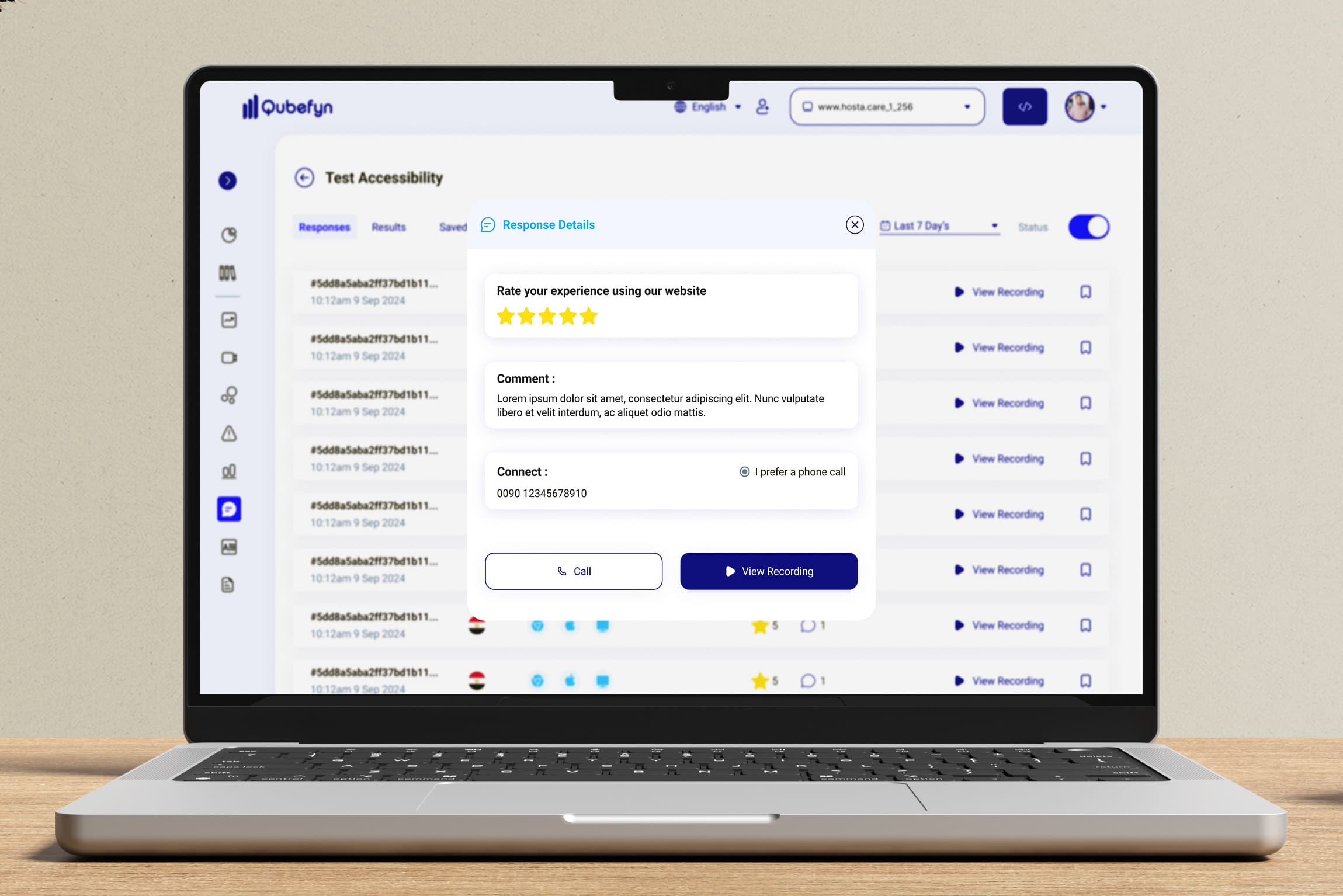
User opinion and rating
Review the rating the user chose and the text they sent along with it.
Contact information
See contact information when a user chooses to share it for follow-up.
The context of the individual response
Understand the page and moment associated with each response rather than reading it in isolation.
Detailed insights into Feedback results
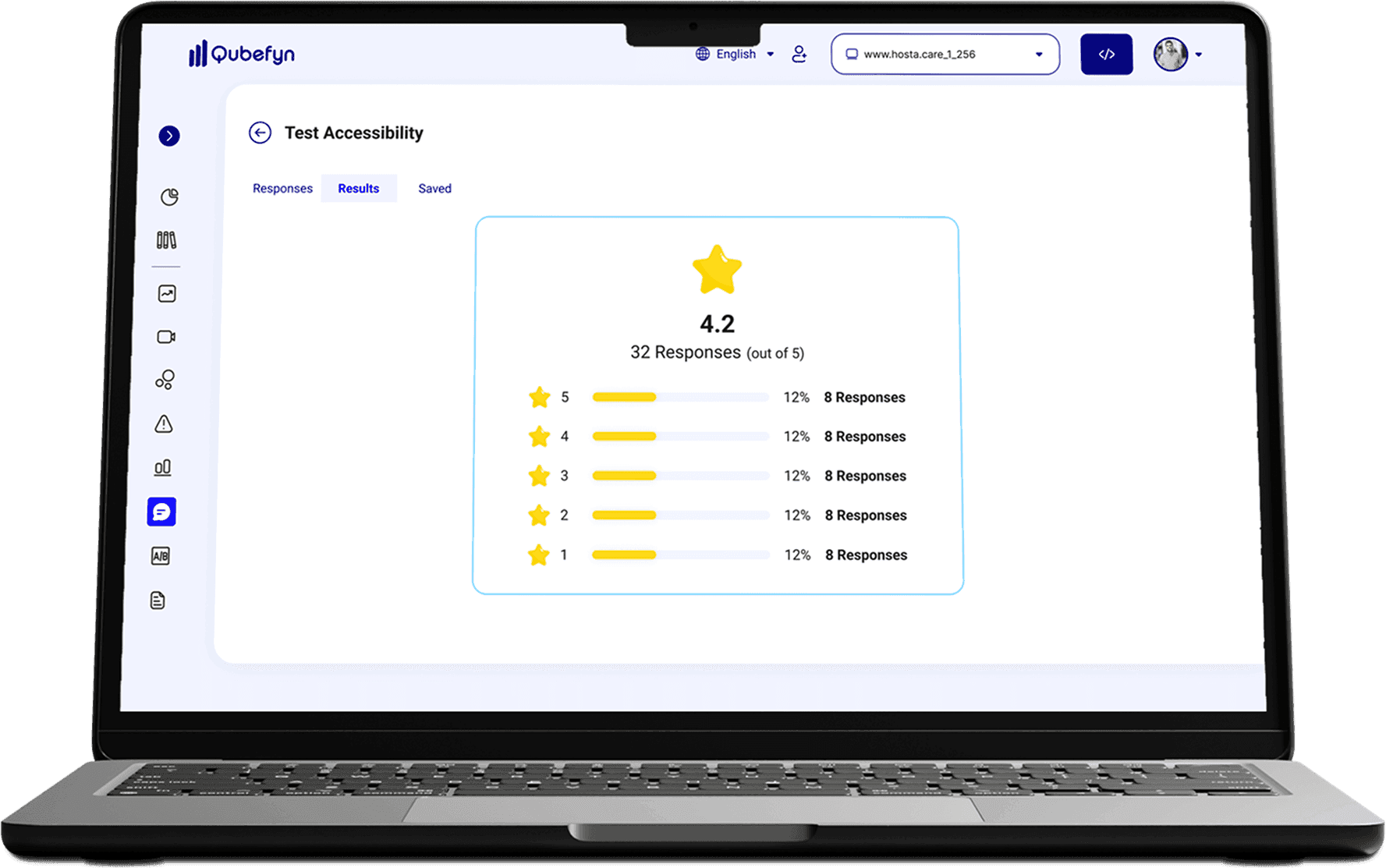
Average star rating
Track users' average rating via aggregated responses.
Number of responses
Know the volume of responses the tool received.
Latest comments received
See the latest user submissions as they arrive.
Track progress over time
Monitor how ratings and responses change as you make improvements.
Customer feedback collection and analysis in Qube Analytics — original product view 2
Manage comments and follow response patterns
Captured comments in one list
Bring received user feedback into one searchable list.
Advanced search and filtering
Use search and filter options to quickly access your desired responses.
User ratings
View each user's rating along with their comment and context.
How do your customers send Feedback?
Step 1: Access the tool
With one click, the user opens the Feedback widget visible on your site.
Step 2: Share your opinion
The user chooses their rating, adds their comment, and selects contact options if they want to follow up.
Step 3: Confirm submission
The user receives a thank-you message confirming that their feedback was submitted.
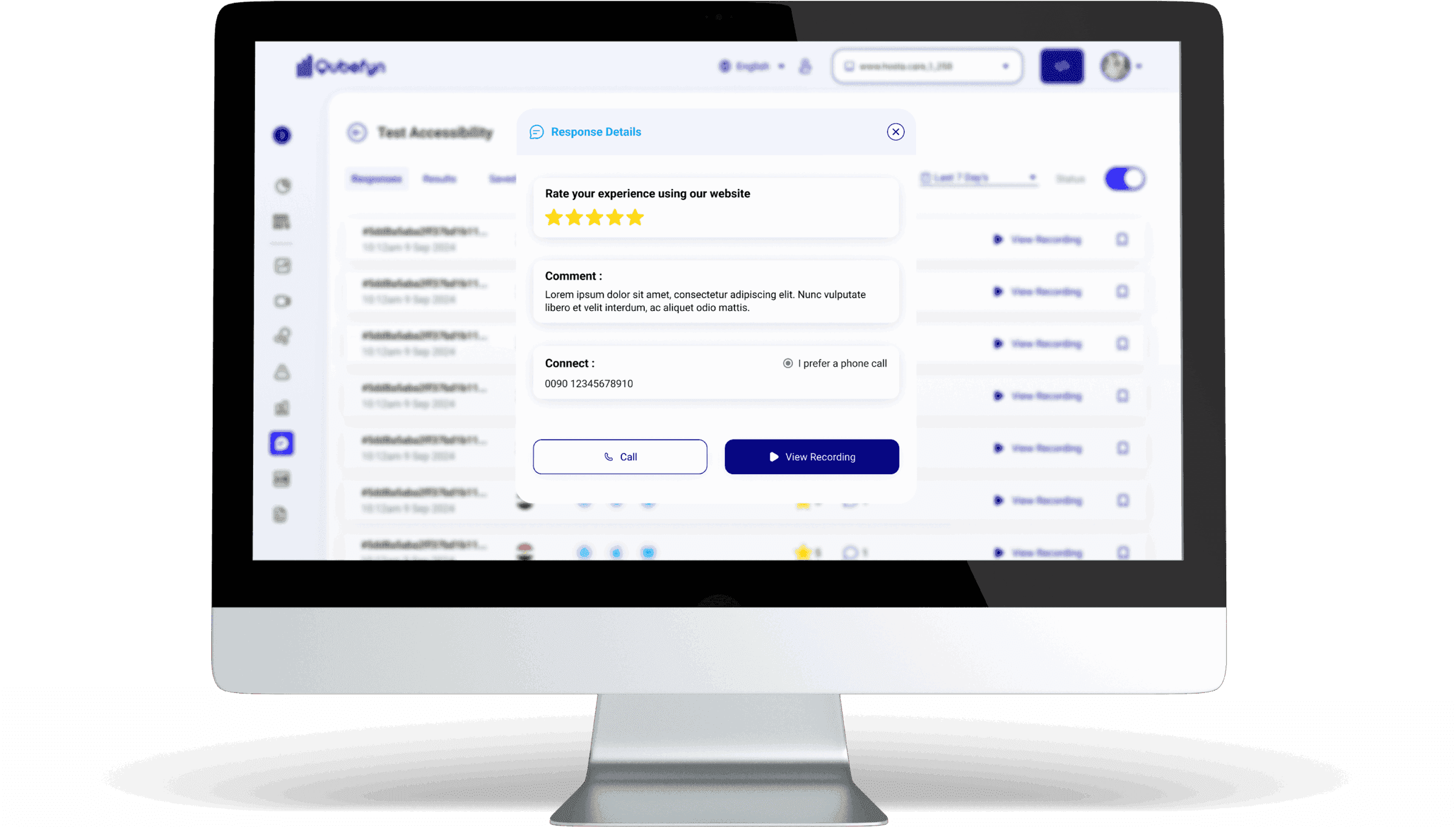
Customer feedback collection and analysis in Qube Analytics — original product view 3
Who can benefit from Feedback?
Your customers' opinions can support your teams in making data-driven decisions and improving your site's performance.
Conversion optimization experts
Identify friction points in your conversion paths directly from user reviews.
Content management teams
Measure the effectiveness and clarity of your content through reader feedback.
User experience designers
Improve the user interface and user experience based on customer feedback.
Digital project managers
Follow feedback on new features and use it as one signal when evaluating project objectives.
Website developers
Receive direct reports from users about errors or technical problems.
Shared value, in every team's language.
Frequently asked questions about Feedback
Answers about customization, placement, response types, management, and security.
01How do I customize the look and content of the Feedback Widget?+
You can configure the welcome message, supported rating type, comment options, and follow-up choices presented to the user.
02Where can I display the Feedback Widget on my site?+
You can choose its left or right position and configure persistent, interaction-triggered, or page-specific display behavior.
03What types of Feedback can I collect?+
You can collect quantitative ratings like stars, open text comments, suggestions, and even contact details if the user chooses to share them.
04How do I review and manage responses received?+
The dashboard displays captured responses with options to filter and search the available data.
05Can users report technical issues via Feedback?+
Yes. Users can use the widget to describe errors or difficulties they encounter on the site.
06Is Feedback data secure?+
Feedback data is handled through the platform's security and access controls. Configure consent, retention, and permissions to match your privacy requirements.
Let us connect the challenge to the right solution.
A short session to understand the context and identify the first experiment that can demonstrate real value.