
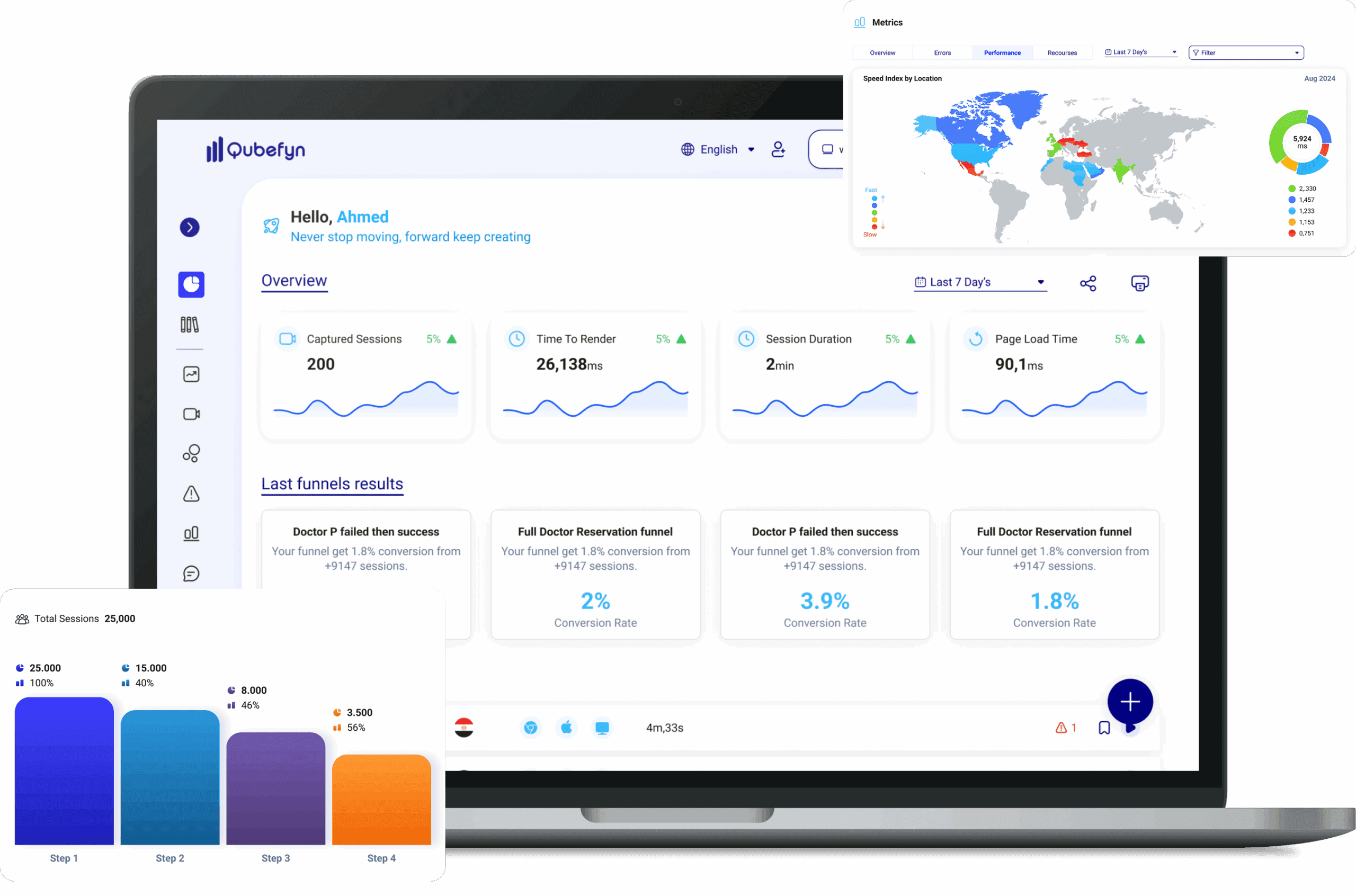
Ask when the answer is most honest
In-experience surveys targeted to the right page, audience, and moment, with responses connected to behavioral context for analysis.
From a raw signal to insight you can use.
Every component is designed to turn data or daily activity into a clearer decision your team can act on and review.
Precise targeting
Show each question based on the page, behavior, or user segment.
Flexible formats
Ratings, choices, and short-form responses without disrupting the browsing journey.
Behavior-linked analysis
Read feedback alongside the session, funnel, and metrics.
What are surveys in Qube Analytics?
Design, distribute, and analyze custom surveys. Collect targeted customer feedback from your site and organize responses into useful evidence.
Collect feedback that informs improvement
Design custom surveys, target the intended audience, and turn response patterns into context for product and business decisions.
Listening is the basis of improvement
Listening to customers gives product teams direct evidence about what should be improved.
Design focused surveys with a flexible workflow
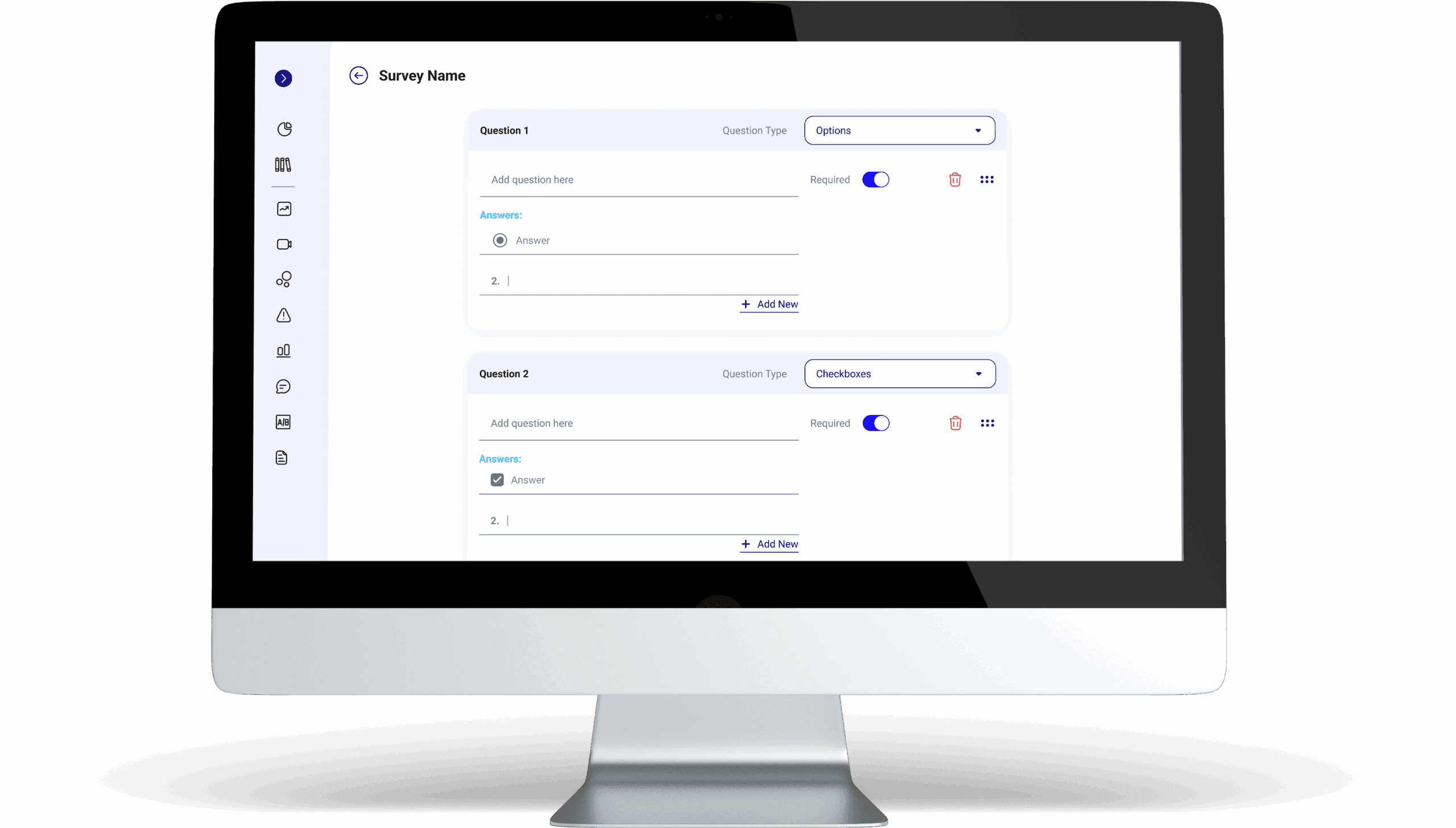
Create surveys through a guided workflow, from writing questions and choosing their types to publishing the survey in the right place on your site.
Step 1: Design the questions
Create questions through an intuitive interface, choose from multiple question types, and mark the answers that are required.
Step 2: Choose where it appears
Select the pages where the survey should appear so it reaches the intended audience, then publish when it is ready.
Survey configuration and voice-of-customer analysis — original product view 1
Survey analytics
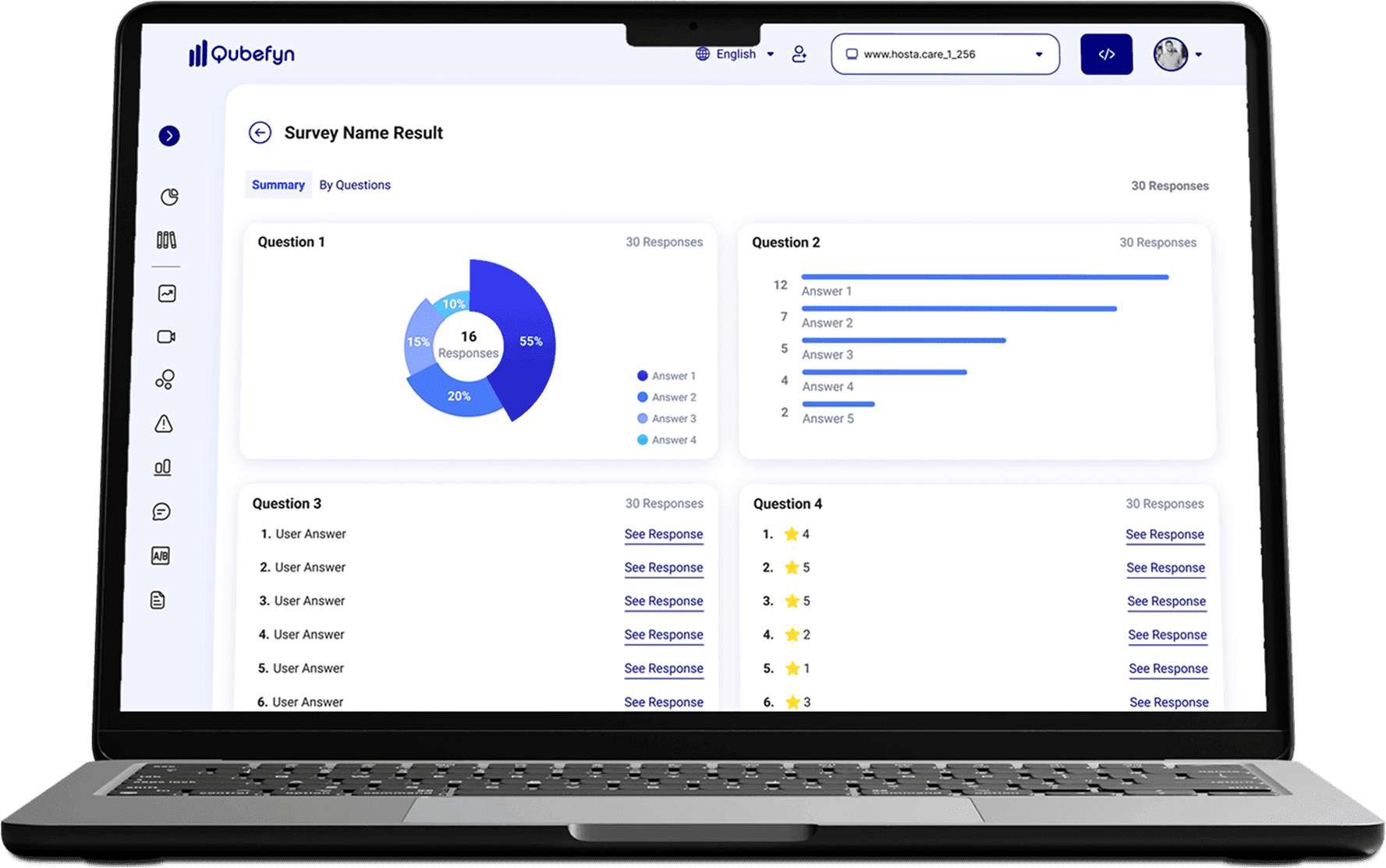
Qube Analytics provides you with an intuitive dashboard to view your survey answers, whether you're looking for a quick overview or in-depth details for each question.
Combined summary
View a summary of all survey questions in one dashboard.
Total responses
See the total number of responses collected.
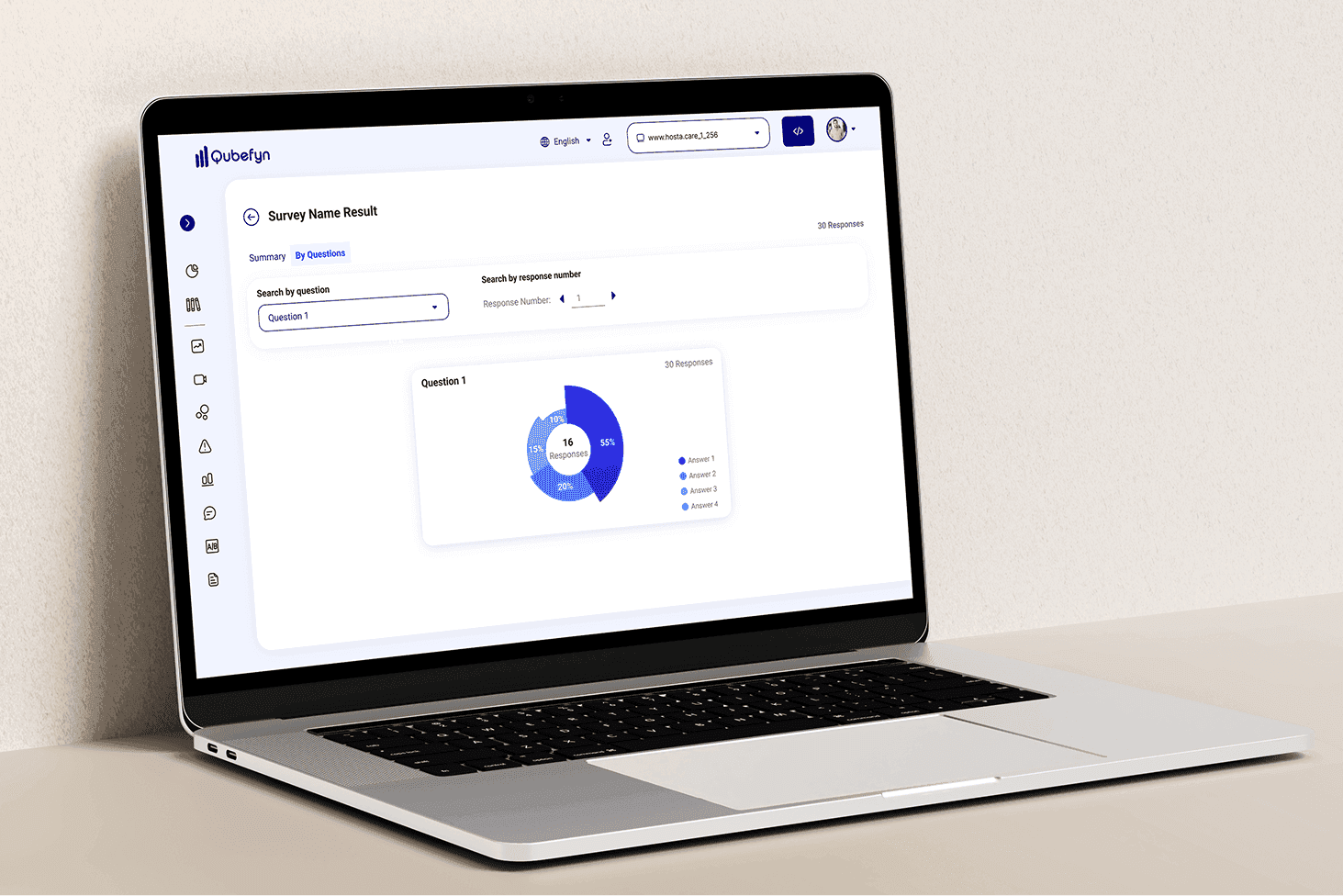
Analyze each question
Browse and analyze the results of each question individually to gain in-depth insights.
Clear graphs
Display answers in clear graphs that make the results easy to understand.
Understand the diverse responses
This section provides you with analysis of quantitative and qualitative responses, with advanced search and browsing tools, to provide a deeper understanding of customer sentiment.
Choice patterns
Analyze response rates for multiple-choice questions to discern patterns and trends.
Text responses and ratings
Review open text responses and individual ratings to gain a deeper understanding of customer sentiment.
Quick search
Search for specific questions within the survey to quickly access the required data.
The context of each response
Browse individual responses by response number to further examine and verify the context of each response.
Survey configuration and voice-of-customer analysis — original product view 2
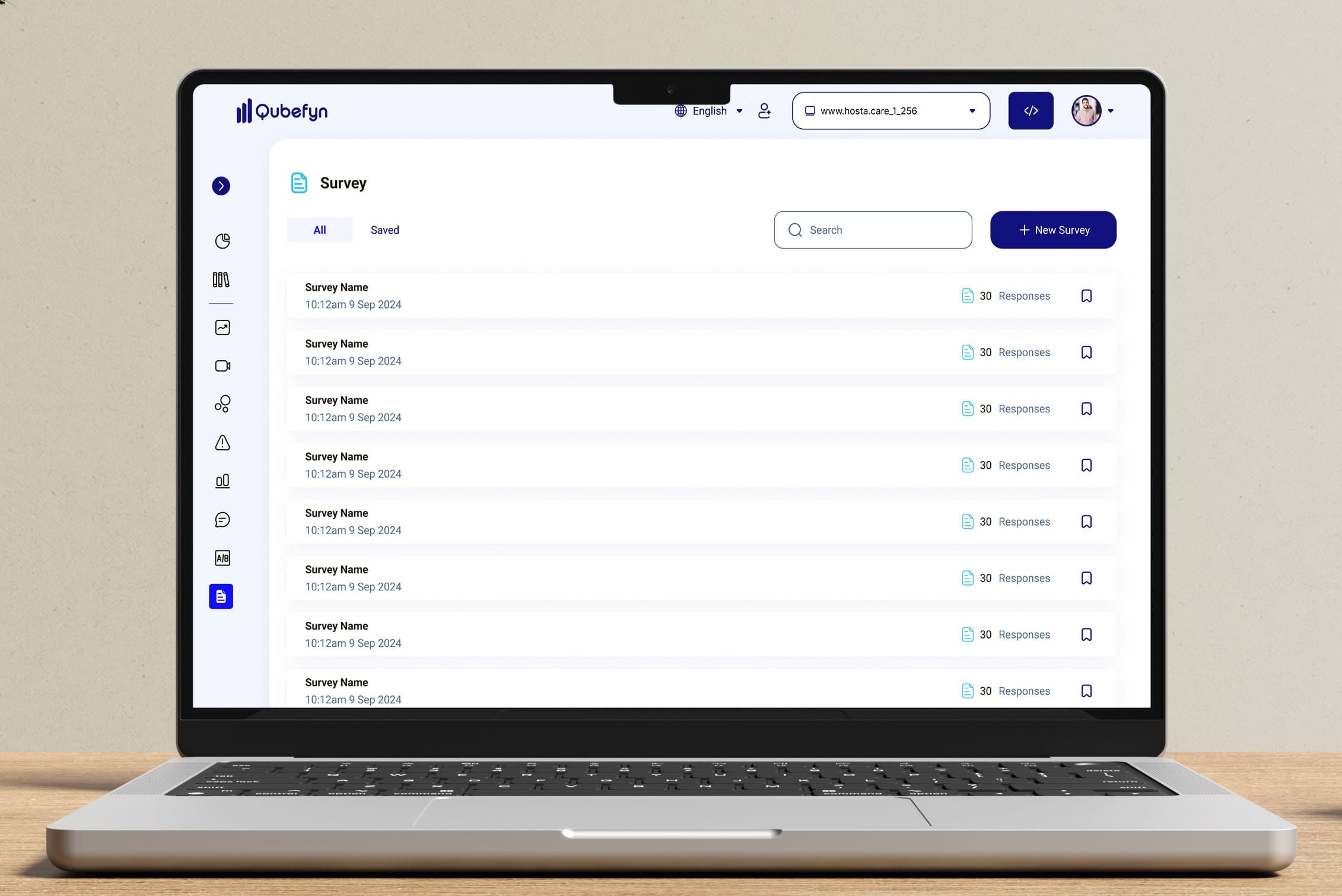
Manage surveys from one place
Unified management panel
Get a quick look at the name of each survey, the date it was created, and the number of responses it received, with easy options to search, sort, and create new surveys.
Survey configuration and voice-of-customer analysis — original product view 3
Who can benefit from surveys?
Qube Analytics helps teams organize customer responses into evidence that can support decisions across the business.
Senior management and decision makers
Add direct customer and market feedback to the evidence used in strategic decisions.
Product managers
Develop your products based on customer needs and wants.
User experience designers
Improve UI design and user experience based on real-world feedback.
Product development teams
Develop your products based on actual customer needs and wants.
Shared value, in every team's language.
Frequently asked questions about surveys
Answers to question types, personalization, analysis, and security.
01What types of questions can I use in a survey?+
You can use multiple types such as multiple choice, checkboxes, open text, and rating scales.
02Can I customize the survey design?+
Yes, it provides an easy interface to customize the survey design to fit your brand.
03How can I analyze survey results?+
The dashboard provides charts, quantitative summaries, and a way to review text within captured responses.
04Is survey data secure?+
Survey data is handled through the platform's security and access controls. Configure consent, retention, and permissions to match your privacy requirements.
05Can I track individual responses for each user?+
Yes, the dashboard allows you to review each response individually, including text responses, and link them to user behavior if possible.
Let us connect the challenge to the right solution.
A short session to understand the context and identify the first experiment that can demonstrate real value.