
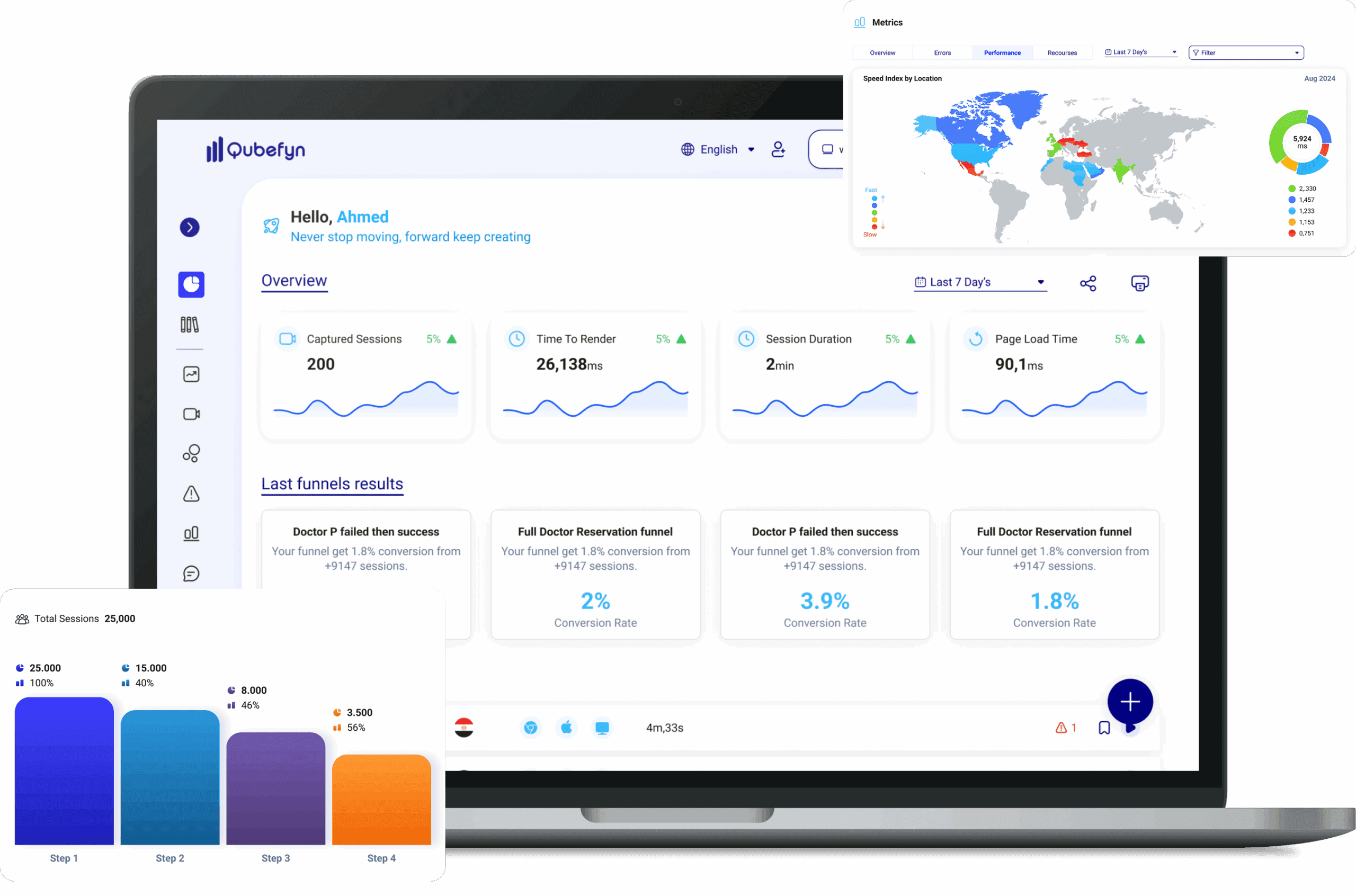
See the experience as the user lived it
Privacy-conscious playback that places clicks, scrolling, and pauses in one context, so you understand why the experience failed—not only where.
From a raw signal to insight you can use.
Every component is designed to turn data or daily activity into a clearer decision your team can act on and review.
Complete visual context
See the actual sequence that preceded an error or exit.
Privacy by design
Sensitive-field masking and recording controls protect visitors and the business alike.
Reach the cause faster
Move directly from an alert or funnel to the session connected to it.
A few steps, with context that stays connected.
- 01
Enable
Add tracking and define pages and privacy rules.
- 02
Collect
Important interactions are recorded securely and systematically.
- 03
Review and decide
Filter sessions, identify the pattern, and turn observation into an improvement task.
What is Session Recording?
A tool that captures playable views of real visitor sessions, including mouse movement, clicks, scrolling, and transitions between pages.
Review clicks, movement, and journey context
Record visitors' sessions and see their real interaction with your site as if you were seeing them live. Discover obstacles, identify weaknesses, and start improving the experience based on what you see, not what you expect.
How to create session recordings in Qube Analytics?
You do not need technical experience to watch and understand the behavior of your site visitors.
Step 1: Simply activate the recording
Add a lightweight tracking snippet to begin capturing visitor sessions, without a complex plugin or lengthy setup.
Step 2: Collect data with a focus on privacy
Qube Analytics captures configured click, movement, and scroll events. Masking rules can be applied to sensitive fields as part of your privacy setup.
Step 3: Watch, analyze, and act
Replay a session to see how the user moved through the experience, identify friction, and share the evidence with your team.
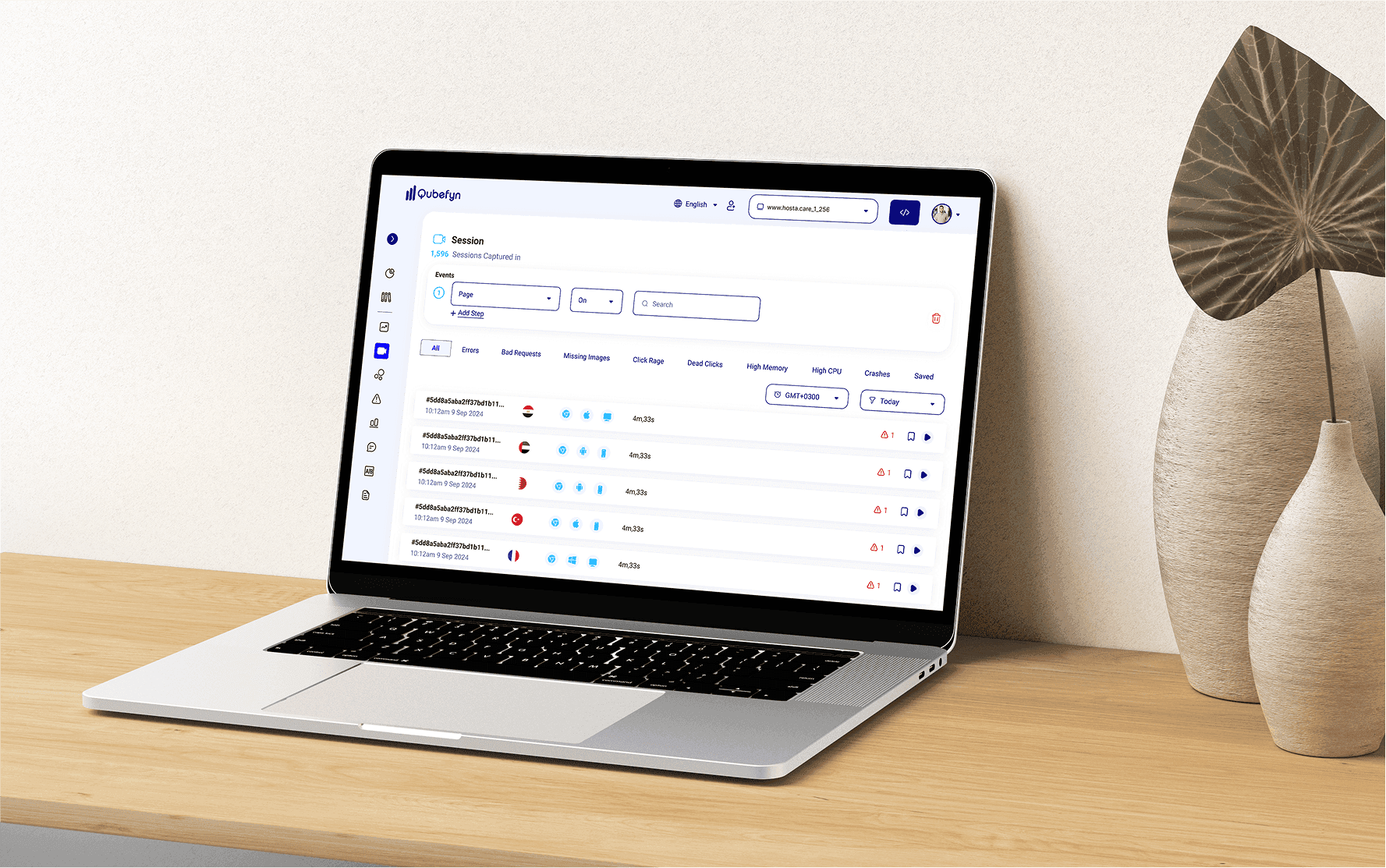
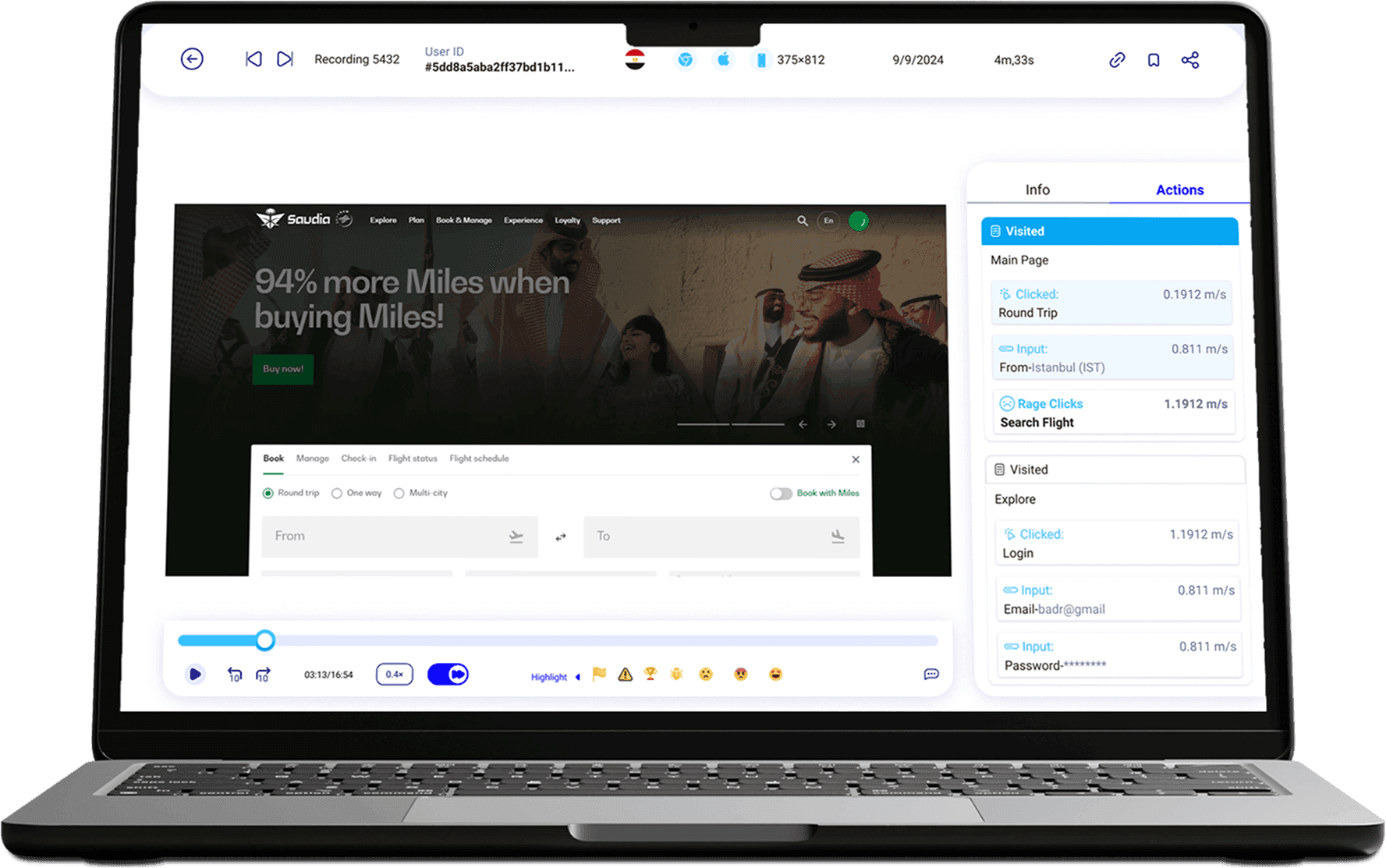
Session recordings and user journey analysis — original product view 1
Explore user behavior through the session dashboard
Qube Analytics provides a detailed dashboard for replaying and analyzing captured sessions. Review movement, clicks, and key interactions to understand the experience more deeply.
Clicks
The number of clicks made by the user during the session.
Text input
The number of text-entry interactions across different fields.
Rage Clicks
Identify areas where users clicked repeatedly in a short period, which can indicate frustration.
U-Turns
Track how often a user returned from a page or backed out of a step.
Feedback
See if the user left any notes during the session.
Errors
See technical errors encountered during the session.
Review the sequence of recorded actions
Follow the available event sequence for a captured journey and investigate deviations or unexpected behavior.
Pages visited
Review the captured sequence of pages visited during the session.
Round-trip time
Details of click response times, which helps identify performance issues.
Data Entry
Review input interactions together with the available session and geographic context.
Rage clicks
Highlight potential moments of frustration and how the user reacted.
Visits
Track a user's visit to a page to explore different sections or features of the site.
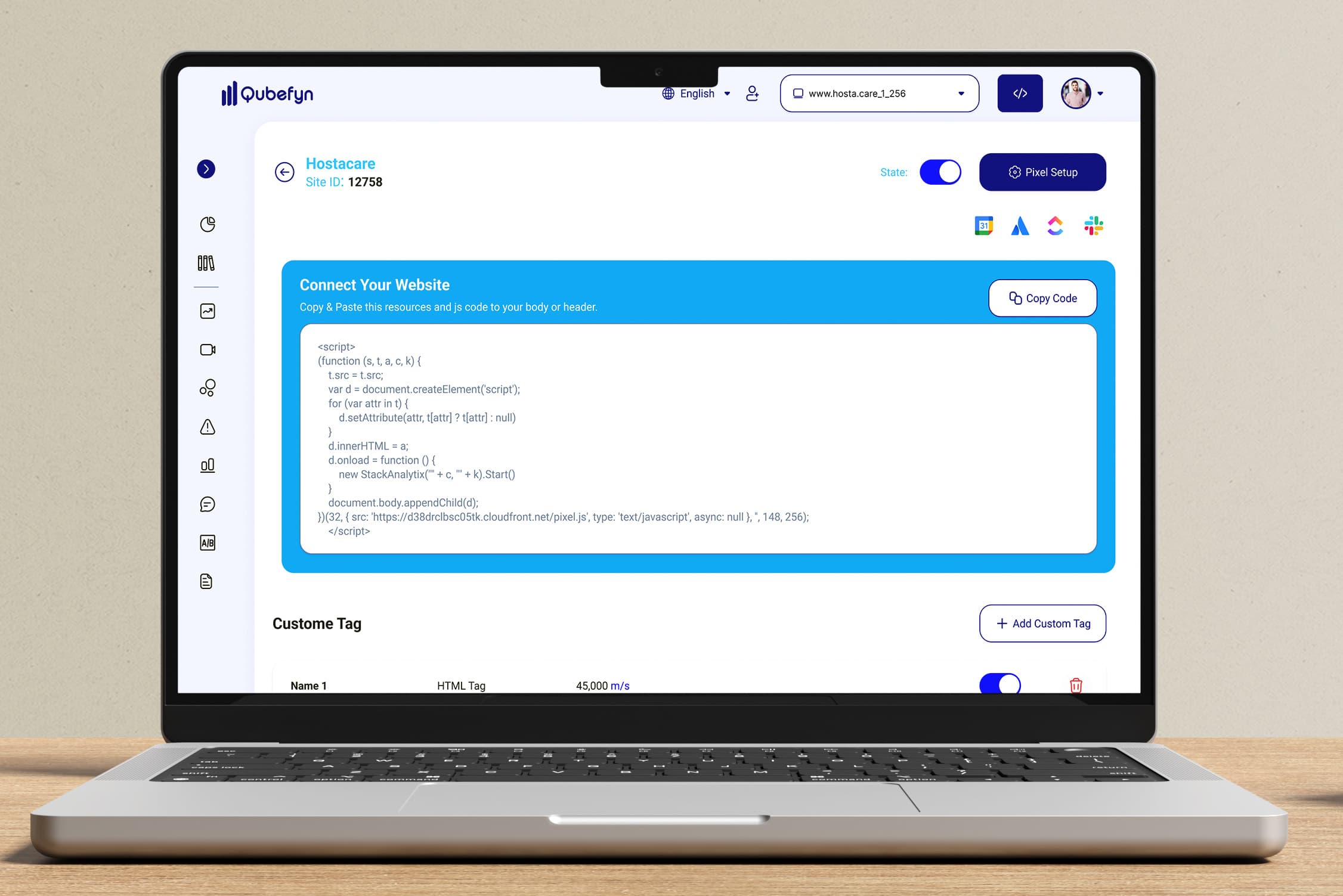
Session recordings and user journey analysis — original product view 2
Who can benefit from Session Recording?
Flexible solutions to suit various fields.
User experience teams
Discover unexpected browsing patterns that impact user experience.
Marketing teams
Understand how your visitors interact and discover why they aren't completing their goals.
Product managers
Monitor how users use your digital product features.
Security and quality teams
See and identify technical issues and errors that occur in user sessions.
Customer service teams
See what problem your customer encountered to provide more effective support.
Why do you need Session Recording?
It gives you real insight into user behavior, helping you understand the experience as the visitor lived it.
Surface hard-to-find errors
Find session-specific issues that aggregate analytics may not explain on their own.
Understand abandonment
Understand why a visitor leaves before completing an important step.
Review the experience from the visitor's perspective
See the interface and journey from the visitor's point of view.
Behavior-based improvement
Optimize the interface based on actual behavior, not just numbers.
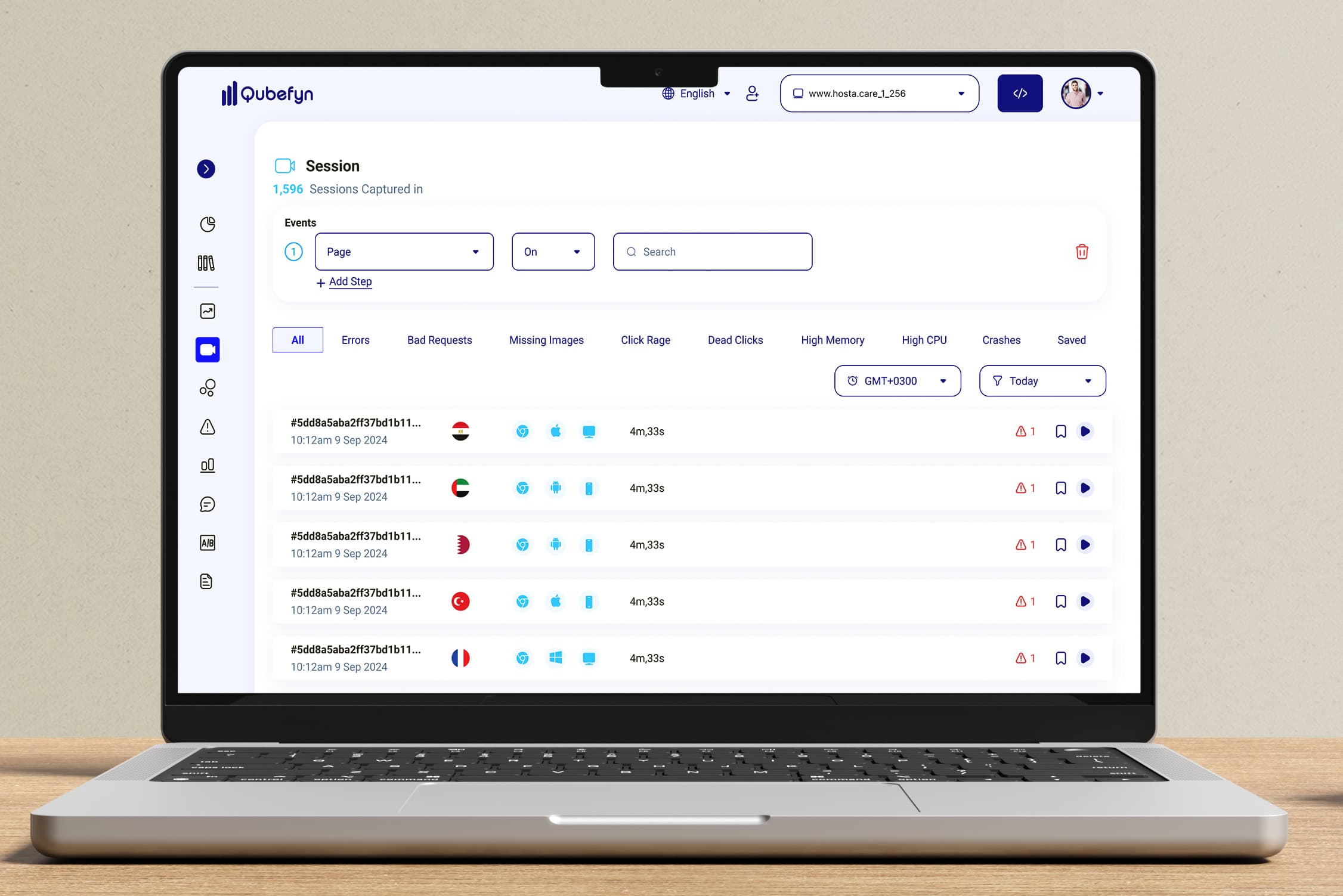
Session recordings and user journey analysis — original product view 3
How session recordings help you make smarter decisions?
Review captured interactions such as clicks and scrolling to add behavioral context beyond aggregate metrics. This can help teams investigate obstacles and improve the experience thoughtfully.
Understand users from their real perspective
See how a user navigates the site and where they hesitate or become distracted. Recordings reveal context that aggregate analytics cannot show on their own.
Find out why visitors leave
Follow up on sessions that didn't end with the goal being achieved, and identify where the visitor is losing interest or having difficulty.
Focus on the moments worth improving
Instead of changing the whole interface at once, focus on elements or pages that repeatedly create friction in captured sessions.
Shared value, in every team's language.
Frequently asked questions about Session Recording
Answers about privacy, performance, filtering, and how to make use of recordings.
01Are sessions recorded for all visitors?+
You can control daily or monthly capture volume and target selected segments, such as visitors from a particular country or new users.
02Does recording violate users' privacy?+
Session capture is designed to mask sensitive fields such as passwords and payment information. Teams should configure masking and retention rules for their own privacy and regulatory requirements.
03Do session recordings slow down the site?+
Session Recording is designed to run with a lightweight footprint. Performance should still be measured in your own production environment and traffic profile.
04How do I actually benefit from these sessions?+
You can find out why a user exits a certain page, why they don't complete a checkout step, or even identify distracting or unclear design elements.
05Can I filter sessions or search for a specific session?+
Yes. Search and filter by available attributes such as device type, country, duration, pages visited, or captured events.
Let us connect the challenge to the right solution.
A short session to understand the context and identify the first experiment that can demonstrate real value.