
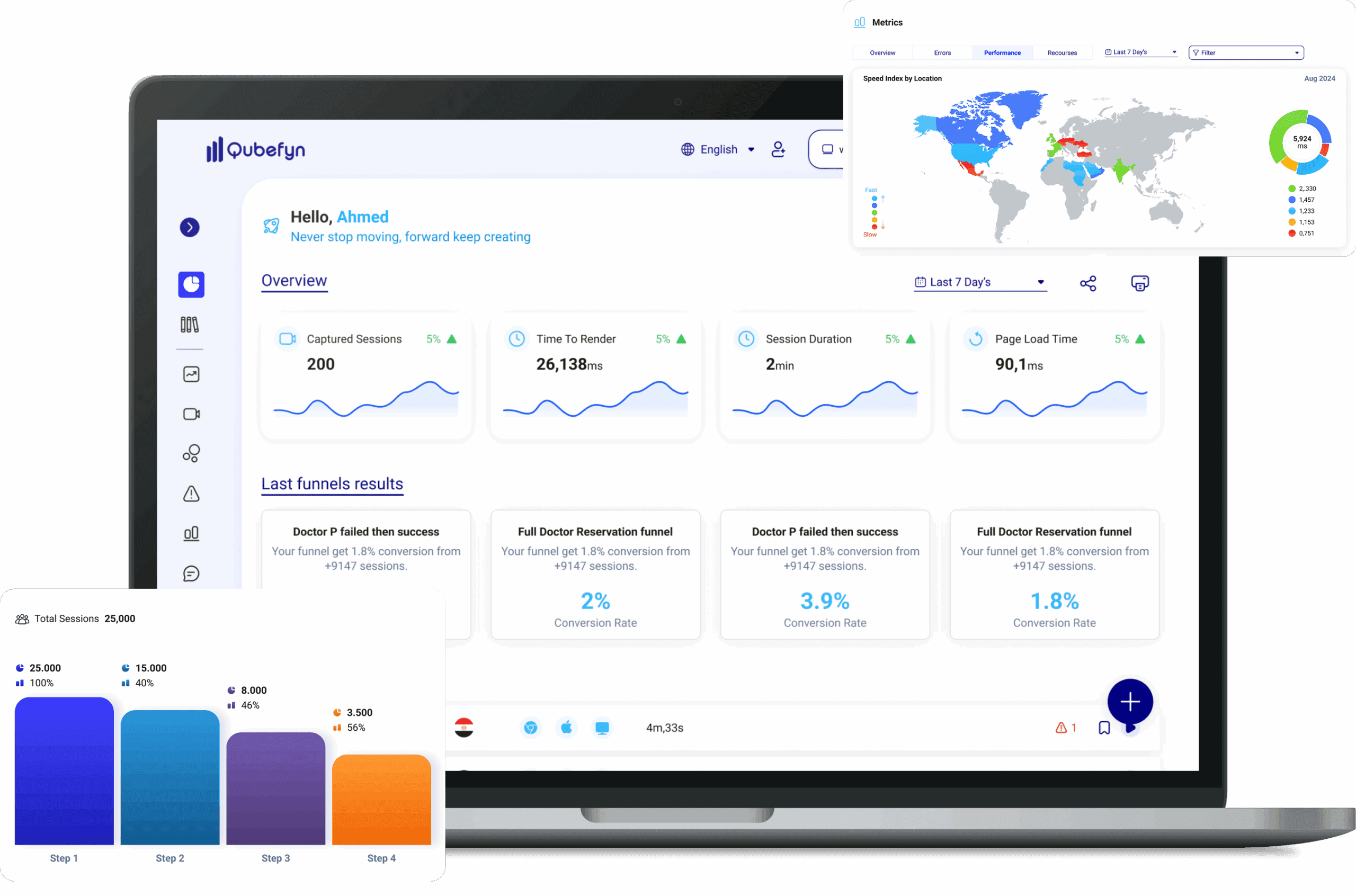
Find the error—and the moment that caused it
Connect technical errors to the page, device, session, and affected business step, so remediation starts with the right priority.
If this sounds familiar, there is still a signal you cannot see.
An action does not respond
An error message is unclear
A form stops before submission
An issue appears during checkout
From a raw signal to insight you can use.
Every component is designed to turn data or daily activity into a clearer decision your team can act on and review.
Errors in context
Technical data shown alongside the session and immediately preceding behavior.
Impact-based priority
See how many users, journeys, and how much potential revenue are affected.
From detection to resolution
Classify and track each issue from active to resolved in one place.
What are Errors in Qube Analytics?
Errors are software or technical problems that a user encounters while interacting with your site or app, such as some elements stopping working or unintelligible messages appearing.
Catch errors before users notice them
A focused tool for detecting page malfunctions and analyzing their impact on captured visitor journeys.
Errors can damage a first visit
An error during a first visit can interrupt the journey and reduce a visitor's confidence in the experience.
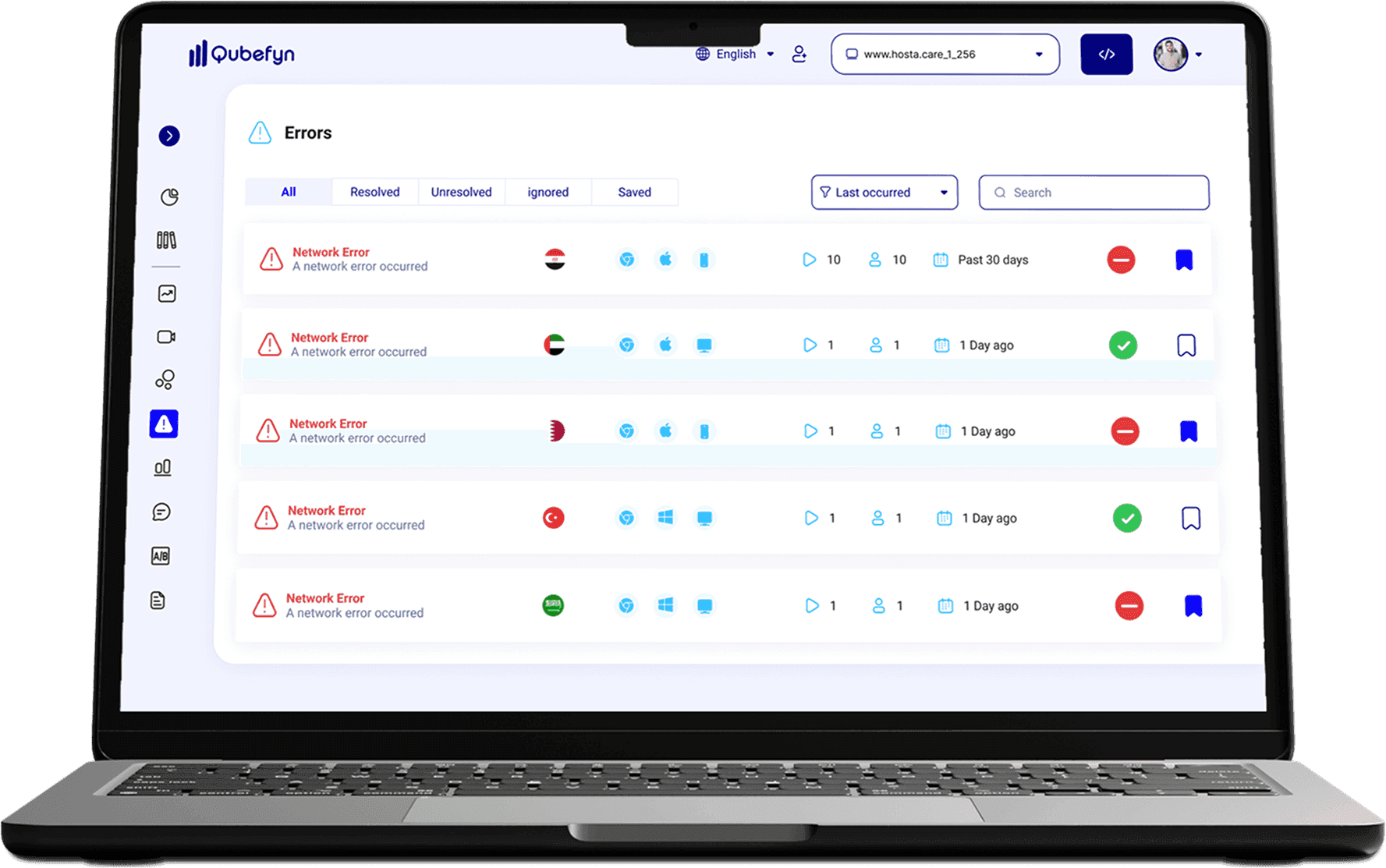
A centralized error list
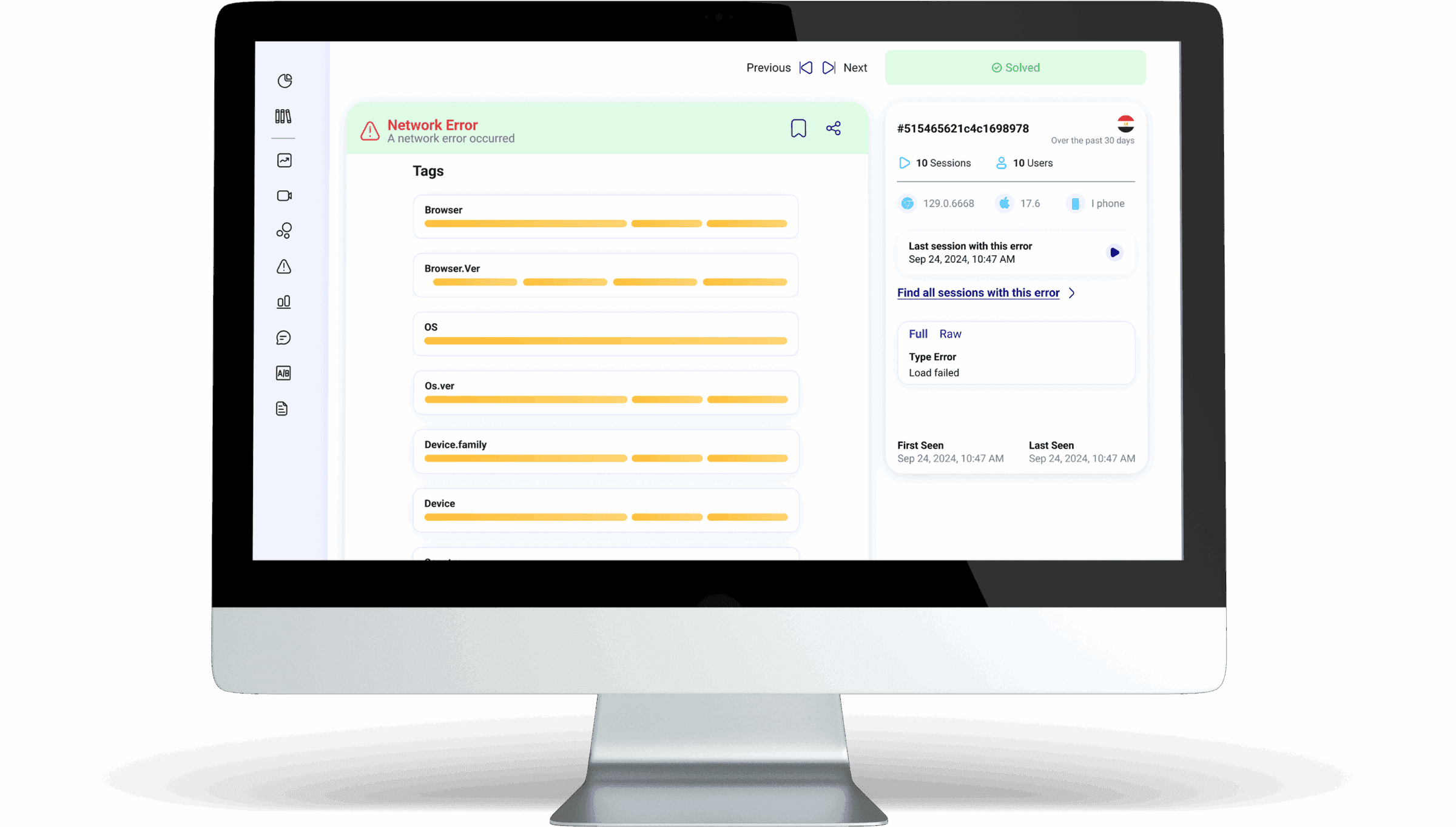
Qube Analytics provides a current view of detected errors. Track sessions affected by JavaScript errors, classify issues by type and source, and review HTTP 4xx and 5xx conditions.
Error type
Clearly identify the problem category, such as a network error.
Browser and its version
Find out which browser the user was using and its version.
Operating system and its version
Determine the user's operating system and version.
Device family and type
Understand the type of device being used, whether it is a computer, phone or tablet.
Country
Determine the user's geographical location.
Understand the roots of the problem to address it
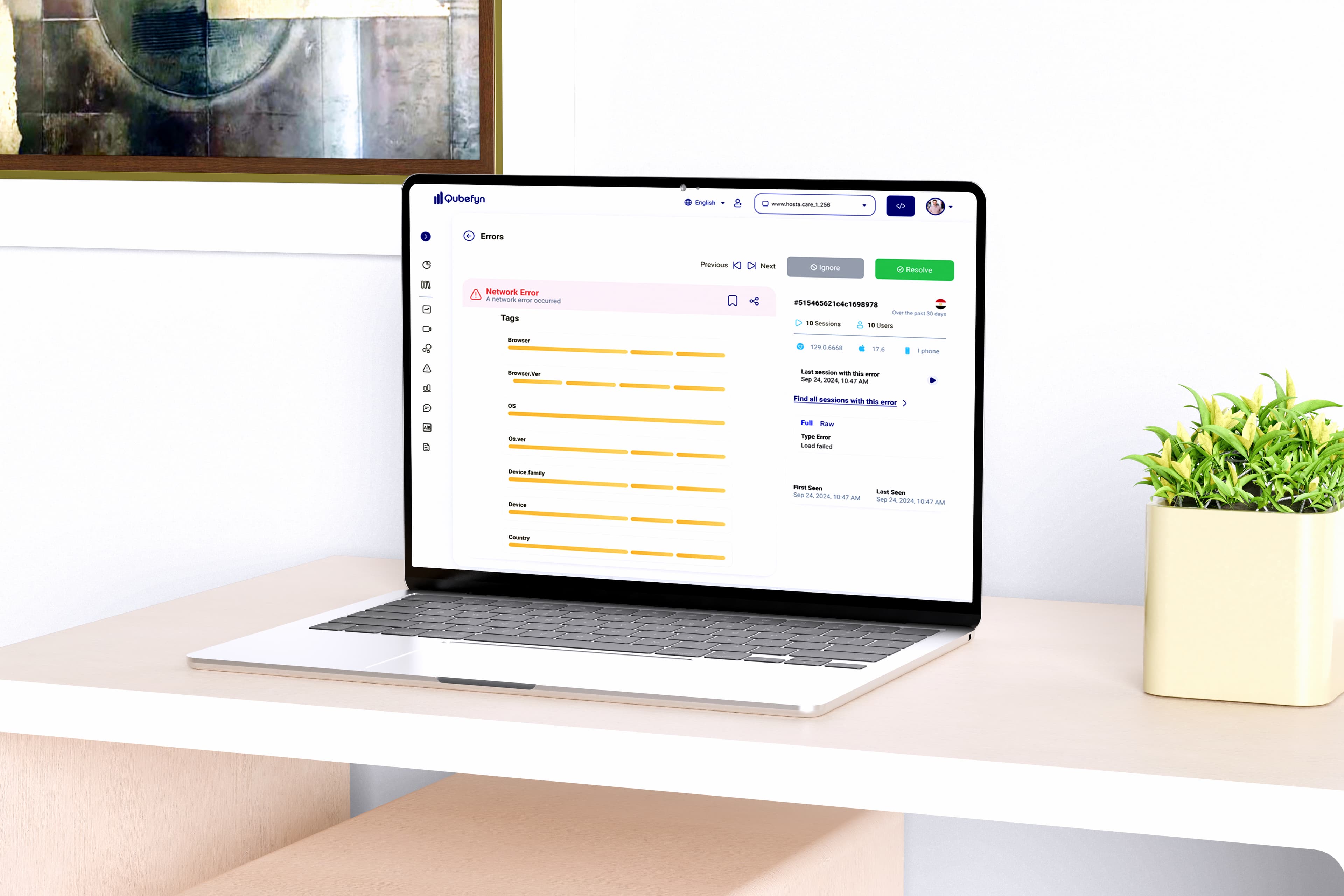
Qube Analytics provides a detailed record for each error, combining technical information, user context, and status-management options so the team can investigate and resolve the issue.
Full technical context
Collect error type, browser, operating system, device, and country into one record instead of searching separate sources.
Move to session
Link the error to the affected session to see the full context that preceded and followed the issue.
Error discovery and resolution tracking in Qube Analytics — original product view 1
Mark an error as resolved
A green status bar marks the issue as “Resolved,” making the team's current triage state easy to recognize.
Affected sessions
Find out how many sessions are affected by this specific error.
Affected users
Find out how many users encountered this error.
Time coverage range
Review the period in which the error occurred, such as the last 30 days.
Date of first and last appearance
Find out when the error started and when it last appeared.
Navigate between errors
Use the Previous and Next buttons to quickly review other errors.
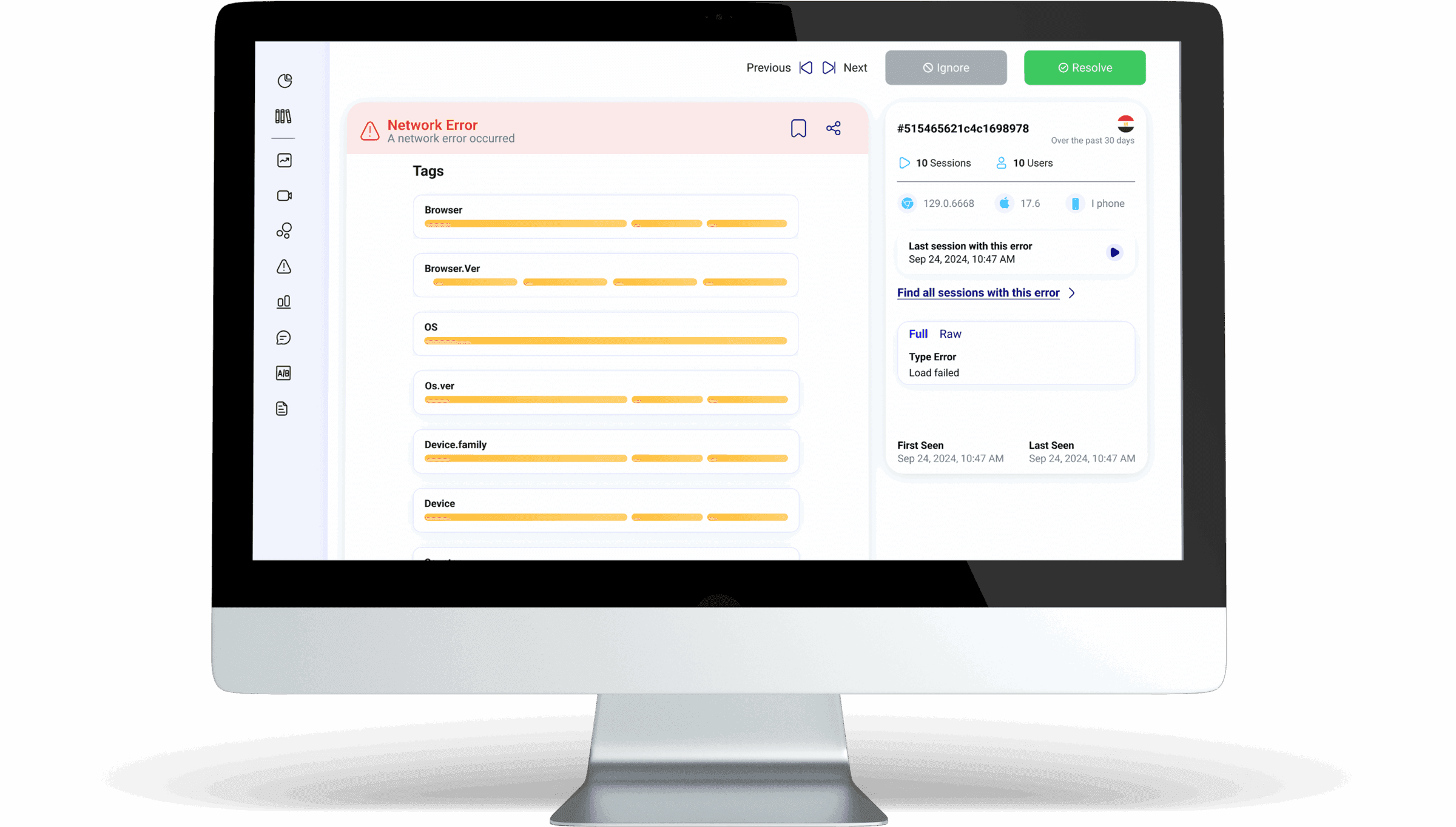
Ignore an error without losing its context
When an error is known or irrelevant to your current need, Qube Analytics lets you ignore it while retaining the available context, helping the team filter noise and focus on higher-priority problems.
A clear Ignored status
A gray bar with the word “Ignored” appears at the top, indicating that the error no longer requires active processing.
Retain error information
Information such as the type of error and error message, such as “A network error occurred” or “Load failed,” are saved for your reference.
Maintain technical context
Browser, operating system, device type, and country remain available for identifying patterns among ignored errors later.
Measure impact
You can continue to see the number of sessions and users affected by this error.
Review sessions after ignoring
You can jump directly to the affected sessions to check the full context of the error even after it has been ignored, providing flexibility in analysis.
Error discovery and resolution tracking in Qube Analytics — original product view 2
Who can benefit from error analytics?
Errors are not only technical incidents; they are signals that can guide experience and product improvements.
Business managers and company owners
Understand the business and customer impact of recurring technical issues.
Product managers
Monitor errors that impact user journeys and conversion rates.
Customer support teams
Learn about common errors customers encounter before they contact you.
Quality assurance and testing teams
Use error context alongside performance and journey data to support testing and release quality.
Website developers
Analyze resource performance, page loading speed, and memory consumption, and discover hidden problems in the code.
Why do you need error statistics?
Knowing where problems occur helps teams investigate experience issues, bounce, and lost conversions. Without useful error context, the reason behind an interrupted journey can remain unclear.
Your visitors take action and your site doesn't respond?
Detect when the interface becomes unresponsive to actions the visitor is trying to perform.
Visitors received an unclear error message?
Relate the message to the technical context and session in which it appeared.
Visitors suddenly stop while filling out the form?
Identify the error or obstacle preventing completion of the form.
Technical problems appear during purchase?
Learn which faults hit the most critical conversion steps.
Error discovery and resolution tracking in Qube Analytics — original product view 3
How does understanding errors support better decisions?
When you understand where errors come from, you can prioritize development around observed impact instead of relying only on assumptions.
Focus on critical points
Follow the errors that appear in the purchase or registration steps, and start resolving them first.
Separate technical error from user behavior
Not every problem is caused by user behavior; monitor technical performance carefully to identify system errors.
Prioritize problem solving
Address issues that occur more frequently or affect larger segments of users.
Shared value, in every team's language.
Frequently asked questions about error tracking
Answers to the types of errors, their impact, filtering, and linking them to user behavior.
01Are all types of errors detected?+
Supported categories include JavaScript errors, loading issues, and page failures, with the time and available page or session context.
02How do these statistics help me improve my digital experience?+
By recognizing where a user stops or has trouble, you can improve the interface and achieve a smoother experience.
03Can undetected errors affect conversion?+
Yes. Errors can interrupt journeys, contribute to exits, and make purchase or registration completion less likely.
04Can I filter errors by device or browser type?+
Yes, you can filter data by browser or device.
05Can error data be combined with other reports within Qube Analytics?+
Yes. Correlate error data with session recordings, heatmaps, and user paths to build broader context around visitor behavior.
06Does error tracking affect website or app speed?+
Error tracking is designed with a lightweight footprint. Teams should still measure its impact in their own production environment.
Let us connect the challenge to the right solution.
A short session to understand the context and identify the first experiment that can demonstrate real value.